AVI To MP4 Online Converter Tools: Audio Video Review Guide
Listen To This Article
In this article we will be explaining the meaning of AVI format and why we need to convert AVI to MP4 format. Also, we will introduce you to three different ways in which you can convert the AVI file to MP4 format effortlessly.
What is AVI format.
AVI is an acronym for Audio Video Interleaved that was created by Microsoft in the year 1992. It means that it enjoys in-built support in Windows computer it can play in Windows Media Player. The AVI format is a multimedia container that stores audio and video format that is used in video playback in codecs like DiVx and Xvid.
Why do we need convert AVI to MP4?
As mentioned earlier this file was created by Microsoft and it works perfectly with Windows Media Player. Therefore, if you want to play it Mac or Linux you have to download media player like VLC. It is then the reason why we need to convert AVI file to MP4 format because of its inability to play in most media players, unlike MP4. MP4 format is a file format that is compatible with different computers as well as different devices and media players.
So, how do you convert AVI to MP4? In the next section we will look at different ways on how to convert AVI to MP4.
Three Methods on How Convert AVI to MP4.
Method 1: Using Wondershare Video Converter Ultimate.
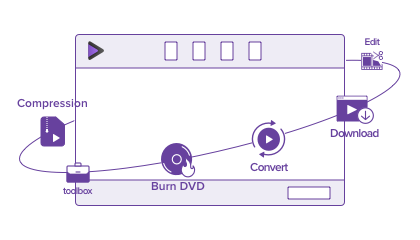
The first way that you can convert AVI to MP4 is by using Wondershare Video Converter Ultimate. Wondershare Video Converter Ultimate is a robust media converter that supports audio, video conversion of many different formats. It allows you to upload media files from your computer, mobile device, or download them and convert to any file format.
Moreover, this software allows you to edit the files using effects, filters and use basic editing functions like crop, trim split to enhance your videos.
Moreover, media converter is built with a DVD burner that enables you to rip media files to DVDs, and CDs. Its online video downloader supports over 10,000 online sharing sites. Furthermore, it comes with a toolbox with which you can use to it to edit video metadata, record screen activities, create GIFs, compresses videos and converts any video format to VR format.
Pros.
. The DVD burner also allows you to edit the DVD formats
. It supports over 1000 media formats
. It supports batch conversion of files
. It has a free screen recorder that records quality files.
Cons.
Its free version has limitations.
How to Convert AVI to MP4 files using Wondershare Video Converter Ultimate.
Step 1. Launch the program on your computer and click on "Add Files" and upload the AVI file to the program.
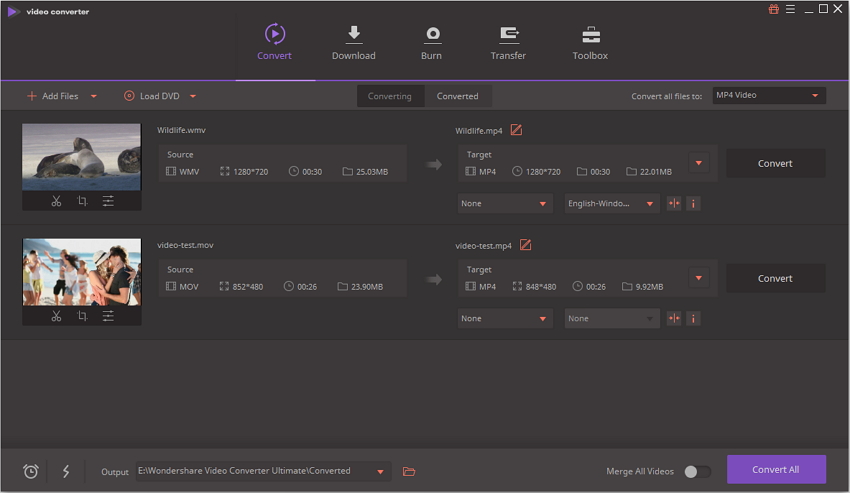
Step 2. After that, hover to the top right and click on "Convert All Files to" and select "MP4" format under the Video format list. Next, you have to choose the video output quality or stick to the original format.
Step 3. After that, you have to choose a folder to save the file at the bottom of the Window. Next, that you will click on "Convert All" button at the bottom right.
With that you will have your AVI file converted to MP4 format
Method 2: Using Wondershare Free Video Converter.
With Wondershare Free Video Converter, you will be able to convert AVI to MP4 format but with watermarks. This free video converter also supports over 1000 video format conversion but with watermarks. As for the audio conversion, you will be able to convert but interrupted by adds. This media converter can also edit media files, burn DVD media files and download media files and subtitles from YouTube only. You can also use it to record a one-minute video and transfer five files to your mobile device.
Pros.
It supports different audio and video formats.
Its user interface is simple and easy to use.
Cons.
It does not support high speed conversion.
Its video output conversion has watermarks.
How to converts AVI to MP4 using Wondershare Free Video Converter.
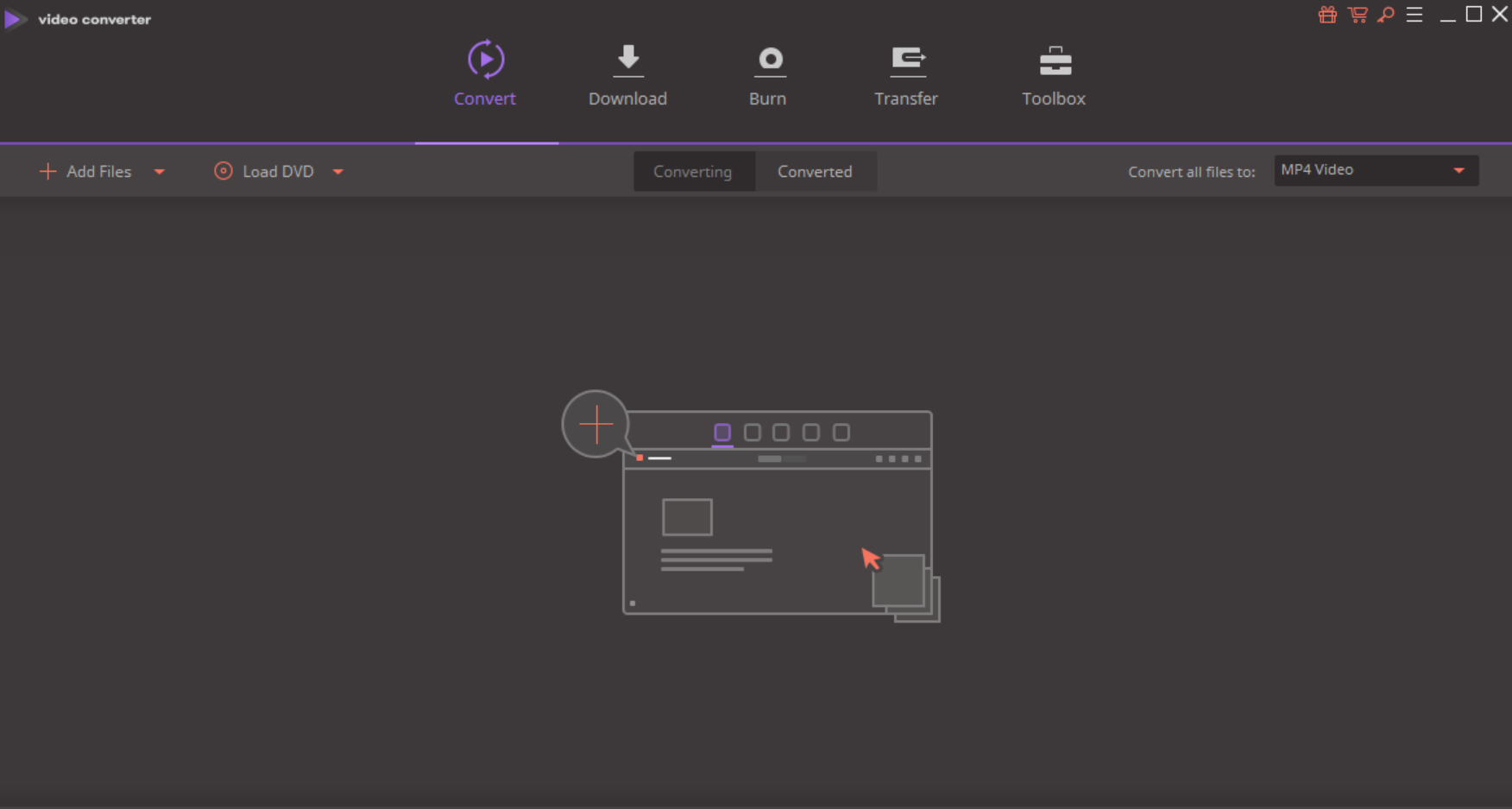
Step 1. Open the program and click on "Add Files" button, select AVI file from your computer and click on "Open" to upload it.
Step 2. Now, click on "Convert All Tasks To" at top right and then select "MP4" format under located on the "Video" menu.
Step 3. At the bottom of the window, you will see "Output" menu, choose a folder to save your file and lastly click on "Convert All" button.
Method 3: Using Online Video Converter- Media.io.
This online AVI to MP4 converter supports conversion of popular video formats and audio formats. The supported video formats include MP4, WMV, MKV, FLV, and others while the audio formats include FLAC, AAC, AU, AIFF, APE and OGG to list a few. The beauty of this platform is that it has high upload and download speeds.
Pros.
It supports audio and video conversion.
It has a great user interface.
It has high speed conversion.
Cons.
It supports limited file formats.
It lacks basic editing functions.
How to Convert AVI to MP4 using Media.io Online Video Converter.
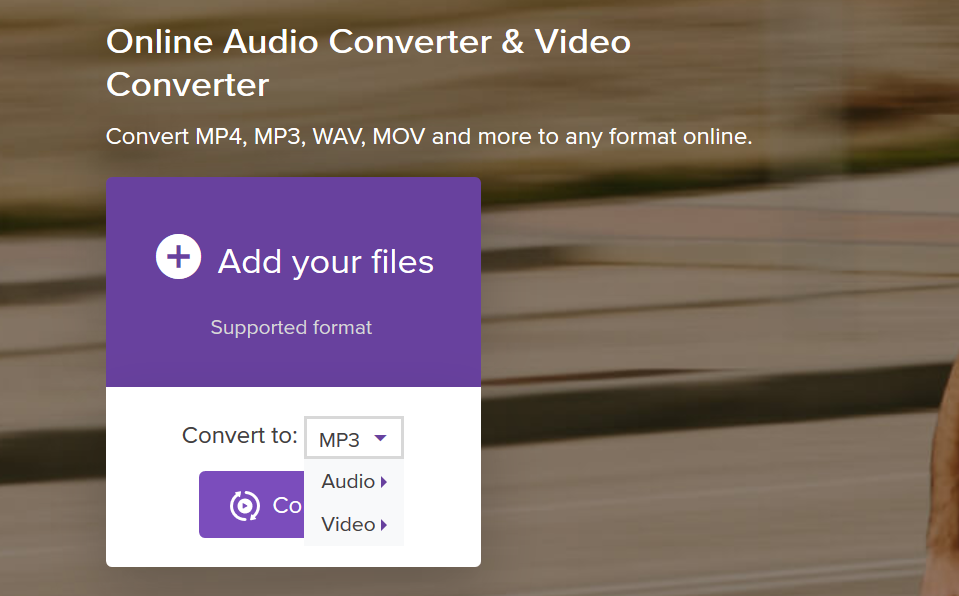
Step 1. Visit Media.io website on your browser and click on "Add your Files" to upload the AVI file.
Step 2. Next, you need to choose MP4 as the output format. Click on Video and select "MP4" format.
Step 3. Now, click on "Convert" button and accept terms and agreements of Media.io file website. From there, you will be able to convert AVI to MP4 format and download it to your computer.
Conclusion.
Now, we have many choices to convert video files, but the best choice is Wondershare Video Converter.
Why? Because with Wondershare Video Converter you will be able to batch convert media files and enable high speed conversion function. Moreover, this software is simple to use and it supports over 1000 output file formats with watermarks or adds. You can also merge videos of different formats to one single file.
Therefore, if you need to convert files use Wondershare Video Converter.