Rockin Robin SongFlying The Web For News.
RobinPost Logo Amazon Prime Deals


Consumer News

Bra Top Care and Maintenance Guide: Extending the Lifespan of Your Favorite Undergarments

Bra tops are a staple in many wardrobes, whether they're worn for athletic activities, fashion statements, or simply as comfortable loungewear. These versatile pieces of clothing provide support and style, but like any garment, they require proper care to maintain their quality and longevity. In this blog, we'll explore the importance of bra top care and maintenance and provide you with valuable tips to help you extend the lifespan of your favorite pieces, ensuring they remain comfortable, and supportive, and look great over time.
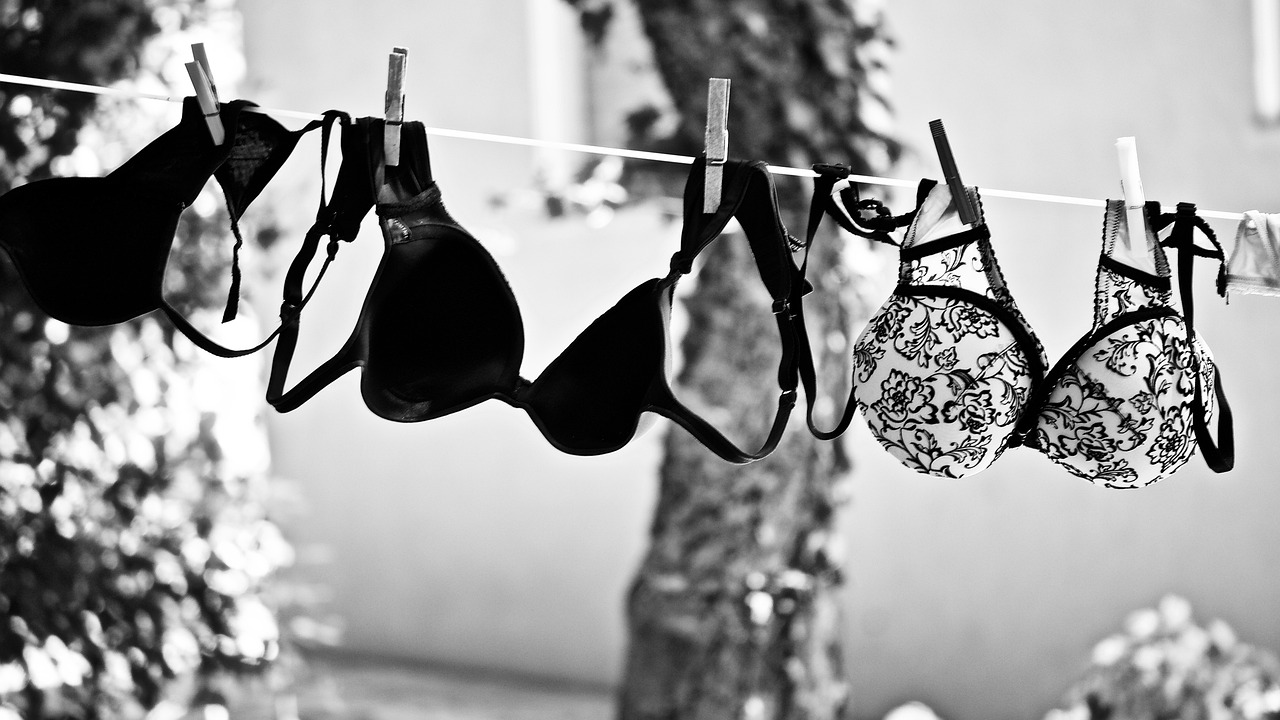

Bra Top Care and Maintenance: Extending the Lifespan of Your Favorites
Photo Credit: Pixabay Laundry

1. Why Bra Top Care Matters

Bra tops, like high-impact sports bras, are often designed with specific fabrics, elastic bands, and intricate construction to offer the desired fit and support. Proper care is essential to ensure these features remain intact and effective. Neglecting care can lead to premature wear and tear, loss of elasticity, fading colors, and a reduction in overall comfort.

2. Washing Guidelines for Bra Tops

Hand Washing:

Hand washing is the gentlest method to preserve the integrity of your bra tops.

Fill a basin with lukewarm water and add a mild detergent designed for delicates.

Submerge the bra top and gently agitate the water to release dirt and sweat.

Rinse thoroughly with cold water to remove all traces of detergent.

Machine Washing:

Check the care label on your bra top to determine if the machine washing is safe.

Place your bra top in a mesh lingerie bag to prevent tangling with other clothes.

Select a delicate or lingerie cycle with cold water and a mild detergent.

Avoid using fabric softeners, as they can break down elastic fibers.

3. Drying Techniques

Air Drying:

Air drying is the best option for bra tops to prevent damage from high heat.

Gently squeeze out excess water after washing.

Lay the bra top flat on a clean towel and reshape it to its original form.

Allow it to air dry away from direct sunlight.

Avoid Heat:

Never tumble dry your bra tops, as the heat can degrade the fabric and elastic fibers.

Avoid hanging your bra tops by their straps, as this can cause stretching.

4. Storage Tips for Bra Top

Drawer Storage:

Fold your bra tops neatly and stack them in a dedicated drawer.

Use dividers to keep different styles separated and prevent tangling.

Hanging:

If you prefer to hang your bra tops, choose a padded hanger to maintain their shape.

Hook the bra tops by the center to prevent stretching the straps.

Avoid Overcrowding:

Avoid overcrowding your storage space to prevent excessive pressure on the fabric and elastic bands.

5. Additional Care Considerations

Rotate Your Collection:

Avoid wearing the same bra top every day. Give each piece time to rest between wears to help maintain elasticity.

Use Lingerie Bags:

If you choose to machine wash your bra tops, always use a lingerie bag to protect them from friction with other clothes.

Avoid Harsh Chemicals:

Avoid using bleach or harsh stain removers, as they can damage the fabric and compromise color vibrancy.

Check for Damage:

Regularly inspect your bra tops for signs of wear, loose threads, or stretched-out elastic. Address any issues promptly.

6. Know When to Replace

Even with proper care, bra tops will eventually wear out due to natural wear and tear. Signs that it's time to replace your bra tops include:

Loss of elasticity in the bands and straps.

Stretched-out or misshapen cups.

Faded colors or pilling.

Excessive fraying or visible damage.

Conclusion

Your favorite bra tops are deserving of the best care to ensure they continue to provide the comfort, support, and style you love. By following these care and maintenance tips, you can extend the lifespan of your bra tops and keep them in top-notch condition for longer. Remember that proper care isn't just about maintaining appearances; it's about maximizing the functionality and longevity of your wardrobe essentials. With a little care and attention, your bra tops will remain dependable companions through workouts, daily activities, and moments of relaxation.


More News From This Category
Electric Car News: End of the road: These vehicles won’t be back in 2026
Fri, 23 Jan 2026 23:07:50 +0000
It’s not just low-selling models heading off to the automotive graveyard. Automakers are retiring both long-running and resurrected models.
Original Image Link
Source:www.ajc.com

Read More ...


Electric Car News: 2026 Rivian R1T Quad Max sets a new electric truck benchmark
Fri, 23 Jan 2026 23:07:50 +0000
The R1T Quad Max uses Rivian’s new internally developed electric motors — one at each wheel — to deliver outrageous power. While figures like 1,025 hp and 1,198 pound-feet of torque exist more for ...
Original Image Link
Source:www.usatoday.com

Read More ...


Consumer News: Don’t rely on your smartwatch for these health metrics, experts say
Fri, 23 Jan 2026 23:07:07 +0000

What wearables can (and cant) tell you about your health and when its time to see a doctor

By Kristen Dalli of ConsumerAffairs
January 23, 2026

  • Not all smartwatch health data is created equal. Wearables are great at showing trends like steps and activity, but many popular metrics can be inconsistent and easily affected by everyday factors.

  • Consumer wearables arent medical-grade devices. Unlike clinical equipment, smartwatches arent built or tested to meet strict medical standards, which means their readings shouldnt be used to diagnose health conditions.

  • Use wearables as a signal, not a verdict. Sudden or unusual changes in your data are a reason to talk to a doctor not to self-diagnose since smartwatch metrics are meant to inform, not replace, professional care.


January is prime time for health resets. New routines, new goals, and for many people, a new wearable device promising deeper insight into everything from heart rate to sleep quality.

These devices can be motivating and informative but experts say theyre often misunderstood, especially when it comes to how much trust consumers place in the numbers on their screens.

To better understand where smartwatch health data shines and where it falls short ConsumerAffairs spoke with two experts who work behind the scenes of medical and electronic devices Leon Huang, CEO of RapidDirect, a company that supports medical device manufacturing and validation, and Hommer Zhao, founder of WellPCB and an expert in medical electronics production.

Consumer smartwatches and medical-grade devices

One of the biggest things that the experts are encouraging consumers to recognize is that there is a big difference between consumer smartwatches or rings and medical-grade devices.

"The biggest difference between these devices is how they are designed, tested and validated, Zhao said.

Medical-grade devices are built to operate within strict accuracy tolerances under a wide range of conditions, with documented testing, traceability, and regulatory oversight. Consumer smartwatches use simplified sensors and algorithms optimized for comfort, battery life, and cost. Theyre very good at showing trends; however, theyre not designed to meet the same consistency or verification standards required in clinical settings.

The metrics to track

While your wearable device of choice may inundate you with tons of personal health information, the experts warn that not every stat is as accurate as it seems.

Step counts and general activity tracking tend to be the most reliable because motion sensing is a mature technology, Zhao said. Resting heart rate trends can also be useful when viewed over time.

On the other side, metrics like sleep stages, blood oxygen, and stress scores are far more variable, as theyre heavily affected by movement, fit, skin temperature, and signal noise. People often assume all metrics are equally accurate, which isnt always the case.

Additionally, certain factors can make readings more or less accurate.

Cold weather, loose fit, excessive movement, darker tattoos under sensors, dehydration, and even sleeping position can all interfere with readings, Zhao said. These factors are common in everyday life, which is why consumer wearables struggle to deliver consistent accuracy across users and conditions.

When is it time for a doctors visit?

So, if you regularly wear a smartwatch or ring, how do you know when your metrics indicate a problem that should be checked out by a medical professional?

If your wearable highlights a sudden or persistent change, examples like irregular heart rhythms, unusual fatigue or breathing issues, thats a prompt to see a professional already, and not to self-diagnose, Huang said. Our smartwatches are good at raising flags, but interpretation and diagnosis should still belong in a clinical setting.

Huang also explained that these readings have been found to impact when consumers seek professional medical care.

False reassurance can delay people from seeking care, while false alarms can cause unnecessary anxiety, he said. These metrics should always be treated as informational, and not diagnostic.

Health support

The experts encourage consumers not to get rid of their smart devices. Instead, focus on the ways that they can support your healthy habits.

Smartwatches are useful tools when people understand their limits, Zhao said. The problem is the assumption that consumer devices offer clinical certainty.

When used correctly, wearables can support healthier habits and awareness, but they should never replace professional medical advice.


Read More ...


Consumer News: Winter weather wreckage: The most common home insurance claims — and how to avoid them
Fri, 23 Jan 2026 23:07:07 +0000

From frozen pipes to roof damage, insurance experts explain what winter storms break most and what homeowners can do now to reduce losses

By Kristen Dalli of ConsumerAffairs
January 23, 2026

  • Winter storms can cause costly home damage, with frozen pipes, roof issues, fires, and personal injury liability among the most common insurance claims.

  • Many winter losses are preventable, and taking proactive steps like insulating pipes, sealing drafts, and maintaining your roof can reduce damage and help protect your coverage.

  • What you do before and after a storm matters, since neglect or lack of documentation can lead to denied claims, while photos, receipts, and quick action can smooth the claims process.


When winter storms roll in, they dont just bring snow days and icy roads they can also bring expensive surprises for homeowners.

With large winter systems planned to impact much of the U.S., understanding the most common winter home insurance claims is more important than ever. Some losses are unavoidable, but many are preventable with a little preparation and know-how.

To help homeowners stay ahead of costly repairs, ConsumerAffairs spoke with Beth Swanson, a licensed insurance agent and insurance analyst at TheZebra.com. She broke down the winter-related claims insurers see most often, explains where coverage usually applies, and shares practical tips homeowners can use to reduce damage and avoid filing a claim in the first place.

Being proactive

If youre at home waiting for the storm to hit, there are ways to be proactive ahead of any snow or ice.

Swanson shared some of her best tips to properly prepare ahead of the storm:

  • Run warm and cold water on a slow drip and keep your home at a consistent temperature of at least 55 to 65 Fahrenheit to prevent frozen/burst pipes.

  • Open under-sink cabinets to help circulate warm air, especially for sinks on exterior walls.

  • If you plan to use a fireplace, have a chimney sweep or another expert check it for damage or debris to avoid smoke backup and other potential dangers.

  • Prevent warm air leaks. Ensure windows and doors are sealed to keep warm air in and reduce ice buildup that results in quick thaw cycles on roofs.

  • To pull cool air upward, rotate ceiling fans so they run clockwise in winter and keep them on the lowest setting.

  • When a storm hits, ensure three feet of distance between flammable objects and heat sources to reduce the chance of a house fire

  • Disconnect outdoor garden hoses and insulate exposed pipes.

  • Routinely check your roof and consider installing hail-resistant asphalt shingles.

  • To prevent ice buildup and property damage, clean out your gutters and trim your tree branches.

  • Remember to also protect yourself from personal injury cases by keeping walkways clear of ice and snow (shovel your sidewalk).

The most common insurance claims after a storm

Swanson said that the top five most common insurance claims following a storm are: frozen pipes, snow and ice damage, house fires, wind and hail damage, and personal injury liability.

However, if you neglect certain tasks around your home, you may be more susceptible to damages that arent covered by your insurance.

Damage that occurs due to homeowner negligence or failure of the homeowner to properly maintain or protect their property is never covered under your home insurance, Swanson said. Claims may be denied if you werent living at the property when the damage occurred, or if you didnt exercise reasonable care to prevent the damage in the first place.

So, skipping tasks like insulating pipes, cleaning gutters, keeping the heat on in the home, or weatherproofing might not only increase risk, it can affect your coverage.

Document the damage

If you find yourself with some house damage after the storm, Swanson encourages homeowners to do their due diligence and document everything.

Its important for homeowners to take photos of the damage immediately to provide a timestamp in order to accurately report damage in a claim, she said. Most insurers have apps or websites to submit a claim any time of day, so you dont need to wait until Monday if something happens over the weekend.

If its safe to do so, its a good idea to attempt a temporary repair, as this can help prevent further damage from occurring. If doing so, make sure to keep receipts from supplies or services purchased to submit with the claim.

Another key piece of advice from Swanson: check your house throughout the storm dont wait for something to happen.


Read More ...


Electric Car News: Electric Car Battery Life: Everything You Need to Know, Including How Long They Last
Fri, 23 Jan 2026 20:07:52 +0000
The battery packs of electric vehicles are quite resilient; the lithium-ion type used in most modern EVs can last at least a decade before replacement. We've got details.
Original Image Link
Source:www.caranddriver.com

Read More ...


Related Bing News Results
Consumer Prices Rose 2.8% Through November, a Sign of Sticky Inflation
Thu, 22 Jan 2026 11:22:00 GMT
The Federal Reserve’s preferred gauge for inflation in October and November was released belatedly after the government shutdown.

Consumer Staples Are Exploding Higher in 2026: Buy 5 High-Yielding Dividend Kings Now
Wed, 21 Jan 2026 09:26:00 GMT
Five of our favorite consumer staples stocks make sense now, as they offer solid upside potential and are Dividend Kings.


Blow Us A Whistle


Related Product Search/Búsqueda de productos relacionados

Amazon Logo