5 Reasons Why A Poster Bed Is Appropriate For Modern Living
A lot of us have fond memories of our
ancestral or grandparents’ house where a major part of our
time was spent playing pretend in a gauzy, lacy and sometimes
nettedposter bedwhich formed the
grand focus. The word itself brings back not only memories but
also makes you wonder why not the same canopy beds have in our
own homes. But the thought of the overall look and décor
crosses the mind and the whole idea is discarded. Of course,
money is another matter.
Bedrooms are the hardest when it comes
to selecting the furniture, setting the theme and making the
whole ambience perfect for our solo moments. Not only does the
bedroom reflect out personality but it is also a safe haven
for us. Contrary to popular belief, it is the bedroom that is
most luxuriously decorated and nothing speaks luxury, safety
and comfort better than a poster bed.
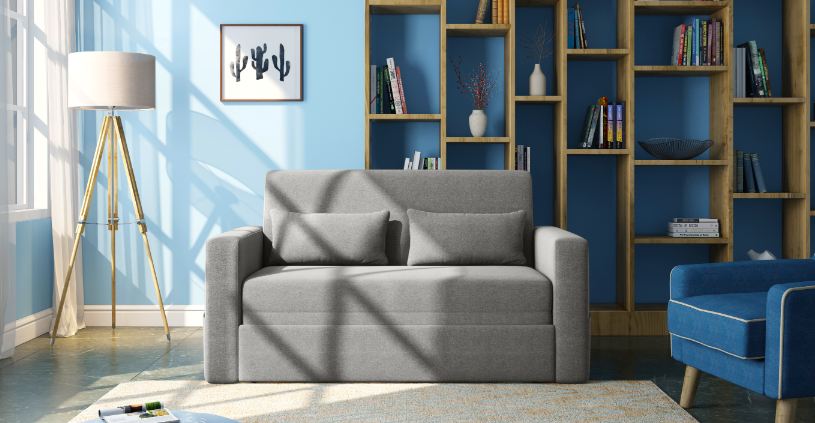
Reasons for buying a poster
bed
When we buy asofa onlinewe need to keep
in mind that it fits the overall décor of the living room and
in case of the sofa being the focal point then we need to plan
the whole look around it. But, with the choice of sofa we get,
deciding on one is not a difficult task. The same rule is
partially applicable for beds, especially poster beds because
budget plays a major role. Still, investing in one is a good
idea and here are the reasons why:
>Aesthetics: There are no
second thoughts about the enhanced aesthetics of your room
with a poster bed. And it does not mean you have to go antique
all the way. Poster beds nowadays are made keeping the modern
lifestyle in mind yet retaining that old world charm.
>Privacy: If you happen to
live in a family where people share each other’s things and
door closing isn’t much of an option then the privacy of the
poster bed will be your saving grace. Draw the curtains and
keep out the world while you stay a bit more in dreamland.
>Temperature regulation: The
option to add curtains is a great plus for chilly winters.
Draping the bed with thick material curtains to keep the cold
outside. Similarly, during summers, you can opt for light
cotton curtains to keep the heat out.
>Protection: a great way to
control mosquito torment is the mosquito net. Not only are you
safe from potentially harmful fumes of mosquito coils but the
nets provides adequate ventilation to provide you with a good
night’s sleep.
>Support: the poster bed is
sturdier than their normal alternatives thanks to the
additional pillar support and framework.
While many think that poster beds will not
work in the modern home, especially if you have a space crunch
then rest assured for the poster beds are made to fit the
modern lifestyle. There are beds with storage options and
single or queen sized beds that will address the space issue.
So, keep the worry away and invest in a good poster bed to make
your bedroom cozier.
Looking for the most recent regular Connections answers? Click here for today's Connections hints, as well as our daily answers and hints for The New York Times Mini Crossword, Wordle and Strands puzzles. Photo By CNET
Looking for the most recent Mini Crossword answer? Click here for today's Mini Crossword hints, as well as our daily answers and hints for The New York Times Wordle, Strands, Connections and Connections: Sports Edition puzzles. Photo By CNET
Hardly a modern invention, the electric car has a long history. Interest has boomeranged over the years based on consumer trends and economics. Original Image Link Source:www.usatoday.com
AI is rapidly reshaping how Americans search for homes, apply for rentals, and secure mortgages.
But federal regulators warn that these tools could also amplify discrimination, distort rents, and misuse personal data.
New government reports urge stronger oversight as AI weaves deeper into real estate markets.
Buying or renting a home has never been more digital. Most consumers now start their search on platforms like Zillow, Realtor.com, and Redfin, using tools that surface listings, estimate home values, and even connect them with lenders. Increasingly, these services rely on artificial intelligence to power chatbots, virtual assistants, personalized recommendations, and automated valuations.
AI can make the process faster and cheaper. It can scan vast amounts of data to pinpoint listings that match a buyers preferences, answer questions in real time, or instantly estimate what a property might sell or rent for. But as these tools become ubiquitous, regulators say the risks are mounting.
Concerns about bias and discrimination
The biggest worry is that AI systems could inadvertently steer buyers or renters toward or away from certain neighborhoodsconduct that may violate fair housing and fair lending laws. If an algorithm fails to catch problematic search terms tied to race, ethnicity, gender, age or other protected traits, it could shape results in ways that reinforce discrimination.
Platforms also may collect sensitive personal data to personalize listings or marketing, raising additional privacy concerns.
Possible dangers in mortgage decisions
AI is increasingly being used behind the scenes in mortgage underwriting, reviewing documents such as employment and payroll records. But if these systems expand into decision-makingsuch as approving or denying a loanthey could obscure why an applicant was rejected or reinforce historical biases in lending.
Impact on rental prices
The same AI tools that help forecast home values are being adopted to set rents. Supporters say this makes prices more responsive to market dynamics, allowing landlords to adjust for vacancy and occupancy in real time. But critics warn that algorithms could push rents higher by basing them on ZIP codes rather than individual building conditions, while also weakening renters ability to negotiate.
Regulators step in
Several federal agencies are monitoring how AI is used across real estate markets, and some have already taken action:
The Federal Housing Finance Agency has reviewed AI-powered underwriting tools and valuation models used by lenders.
Other federal agencies have pursued cases against rental platforms accused of misleading or discriminatory advertising.
Regulators have also taken enforcement actions against companies that screen out tenants using outdated or inaccurate data.
While some oversight has begun to shift toward AI-specific compliance, officials say more guardrails are needed to prevent misuse and protect consumers.
What comes next
The federal government and private research organizations have released new reports detailing how AI is reshaping home buying and rentingand where regulation may need to catch up. As digital tools become standard in real estate, consumer advocates and policymakers are urging stronger protections to ensure that innovation doesnt come at the cost of fairness, privacy, or affordability.
A new law is intended to speed up introduction of advanced sunscreens in the United States
The U.S. has fallen behind other countries because of delays in approving new ingredients, critics say
Sunscreenis vital to protect against melanoma and other skin cancers
It. may be cold and overcast where you are now but, sooner or later, the sun will come blazing back and when it does, anew U.S. law aims to bring American sunscreen standards into the 21st century, potentially ending decades of stagnation in the ingredients available to consumers. While the legislation promises faster review of ultraviolet (UV) filters and improved labeling requirements, experts say the move mainly allows the U.S. to catch up to countries that have spent years using more advanced and effective sunscreen technologies.
For now, the gap is real. Europe, Asia, and Australia all approve UV filters that offer stronger, more stable protection against UVA radiation, the wavelength most responsible for premature skin aging and a major contributor to melanoma. Several of these filters including Tinosorb S, Tinosorb M, Mexoryl XL, and Uvinul A Plus have been in overseas products for more than a decade, yet remain unavailable in American sunscreens.
American consumers simply havent had access to the best UV protection science can offer, said one dermatology researcher involved in FDA advisory work. This law doesnt magically bring those ingredients here overnight, but it makes it much more likely they will eventually be approved.
The new law grew out of legislation introduced by U.S. Senators Maggie Hassan (D-NH) and Roger Marshall (R-KS). It requires the U.S. Food and Drug Administration (FDA) to modernize its process for reviewing and approving new sunscreens, helping Americans access sun protection products that have been safely used in other countries for years.
For too long, outdated regulations have prevented Americans from accessing the same safe and effective sunscreen products available in other countries,said Senator Hassan. Now, the FDA will finally update its approval process so that American manufacturers can produce modern, user-friendly sunscreens and American families can benefit from the sun protection options that have been safely used around the world for years. Im glad that we were able to work across the aisle to get this done.
Why the U.S. fell behind
Unlike Europe and Asia, which treat sunscreens largely as cosmetics, the U.S. regulates them as over-the-counter drugs. That classification requires additional safety data and longer review times. As a result, no new UV filter has been approved in the U.S. since the 1990s a startling reality in a world where skin cancer rates continue to rise.
The new law instructs the FDA to modernize and streamline its review framework, create clearer pathways for evaluating long-used international filters, and update broad-spectrum testing to better measure UVA protection. Consumer advocates say these steps are essential, given how central UVA exposure is to skin damage.
People assume a high SPF number means complete protection, said a spokesperson for the American Academy of Dermatology. But SPF mainly measures UVB the rays that cause sunburn. Many U.S. sunscreens still offer weak UVA defense compared to products available abroad.
What other countries are doing better
In the European Union, manufacturers can choose from more than 30 approved UV filters nearly double whats permitted in the U.S. allowing them to formulate sunscreens that are both cosmetically elegant and highly protective. Asias beauty markets, especially Japan and South Korea, emphasize lightweight, transparent formulas with strong UVA ratings using the PA system (PA++ to PA++++).
Australia, which has some of the worlds highest skin cancer rates, enforces some of the strictest sunscreen regulations globally. Its public-health campaigns have helped drive adoption of high-SPF, high-UVA products that have shown measurable impact on reducing melanoma incidence.
With this much innovation abroad, U.S. dermatologists and cancer-prevention groups have been pressing regulators to act for years.
Melanoma risk remains high
Melanoma is the deadliest form of skin cancer, and UV exposure is responsible for roughly nine out of ten cases. While early detection has improved survival rates, incidence continues to climb in the United States.
A long-term Australian study found that daily sunscreen use reduced melanoma rates by about 50%, a figure often cited by cancer-prevention advocates. Many of the formulations used in high-sunlight regions feature robust UVA filters that help prevent not just cancer, but also photoaging and other UV-linked skin disorders.
In addition to melanoma, basal cell carcinoma and squamous cell carcinoma far more common but usually less deadly are also tightly linked to UV exposure. UVA rays, which penetrate deeper into the skin, are thought to play a major role in cumulative DNA damage.
What the new law means for consumers now
Consumers wont see immediate changes on store shelves. The FDA must issue new guidance and begin evaluating pending UV filter applications before next-generation sunscreens can be marketed. Industry groups say the research is already available for many of the filters used abroad, meaning the potential pipeline could move quickly once the framework is in place.
In the interim, dermatologists recommend that consumers continue using broad-spectrum sunscreens with SPF 30 or higher ideally mineral sunscreens (zinc oxide or titanium dioxide) for stronger UVA coverage and reapply every two hours when outdoors.
This is an important regulatory milestone, said the AAD spokesperson. But for meaningful public-health impact, we need high-performance filters, accurate labeling, and consumer education. Sunscreen only works if people understand how and when to use it.
The bottom line: Better sunscreens are coming, and the U.S. may finally join the rest of the world in offering the full range of UV-filter technology. But until the new system is in place, consumers should stay vigilant and informed about what their sunscreen can (and cant) do.
Consumer Guide How to pick a sunscreen today
Even with regulatory changes coming, heres how to choose the best protection right now.
1. Look for Broad Spectrum
This ensures the product protects against both UVB (sunburn) and UVA (aging, long-term skin damage). UVA protection is where U.S. sunscreens often fall short, so broad spectrum is non-negotiable.
2. Minimum SPF 30
SPF 30 blocks about 97% of UVB rays. Higher SPFs offer marginally more protection but help compensate for under-application a common problem.
3. Consider mineral sunscreens for stronger UVA coverage
Mineral filters:
Zinc oxide offers the broadest spectrum of UV protection available in U.S.-approved filters.
Titanium dioxide helps but doesnt cover UVA-1 as well.
Minerals are especially good for sensitive skin, kids, and people seeking robust UVA defense.
4. If using chemical sunscreens, look for these ingredients
While the U.S. lacks the advanced UVA filters used abroad, you can still maximize whats available. Prioritize formulas containing:
Avobenzone (UVA protection; works best when stabilized with octocrylene)
Meradimate (moderate UVA coverage)
Avoid relying solely on octinoxate, homosalate, or octisalate these mainly protect against UVB.
5. Choose a formula youll actually use
The best sunscreen is the one youre willing to apply generously and reapply often. Gels, milks, sticks, sprays, and hybrids all work when applied properly.
6. Reapply every two hours (or after swimming/sweating)
Most users apply too little sunscreen and forget reapplication. A shot-glass amount for the body and a nickel-sized amount for the face is a good rule of thumb.
7. Dont Forget Physical Barriers
Hats, sunglasses, UPF clothing, and shade can dramatically reduce UV exposure. Sunscreen should be your last line of defense, not the only one.